Program any robot from the part, not the controller
Inbolt Robot Programming, the newest capability in Inbolt Studio, lets engineers program any robot directly from the part. Drop in a CAD model, set the operation in a digital twin, and you have executable robot motion in under five minutes.

What is Inbolt Robot Programming?
Inbolt Robot Programming is CAD-based robot programming software that turns a 3D model of a part into an executable robot trajectory in under five minutes — no teach pendant, no robot code, no vision expertise.
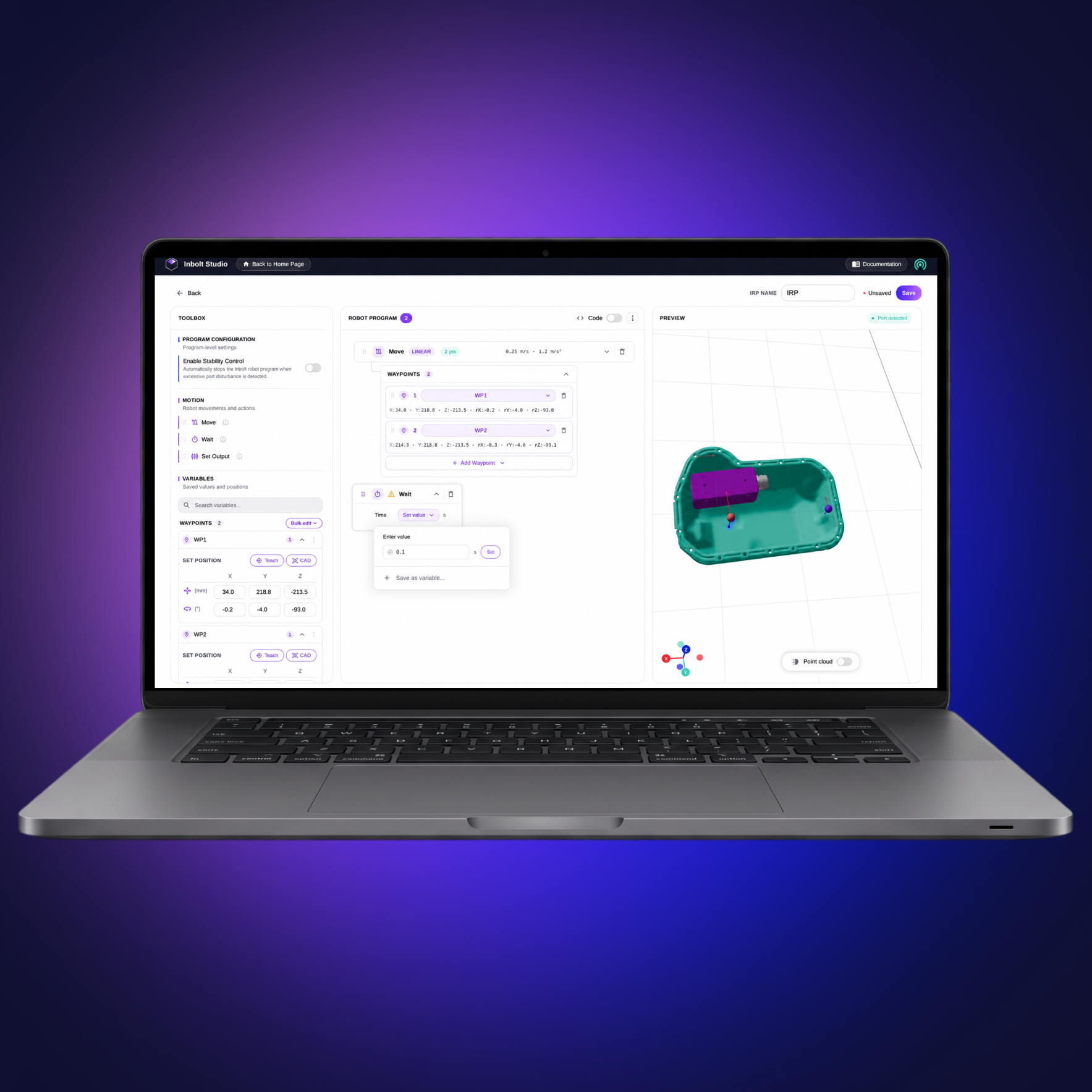
Engineers program the robot from the part, not the controller: upload the CAD into Inbolt Studio, drop it onto the station’s digital twin, and click waypoints directly on the 3D model. Meanwhile the Inbolt Vision Model trains itself on the part, fully on-premise.
Where simulation tools stop at the digital twin, Inbolt bridges it to production. At runtime the Vision Model locates the real part and adjusts the path — part or line can move, the robot still hits the exact point you defined on the CAD.
Together with the Inbolt Vision Model and Inbolt Robot Control, it forms an end-to-end intelligence layer for robots: from CAD upload to live trajectory in no time, and anyone can do it.
Proven impact, measurable results
5
< 5 mins
Training time.
Zero
Expertise required, operator-friendly.
100
100 %
On-premise. No cloud, no risk.
0.5
0.5 mm
Ultra-precise localization.
Digital twin-native robot programming
The fastest way to give robots the vision and intelligence they need.
Intuitive programming
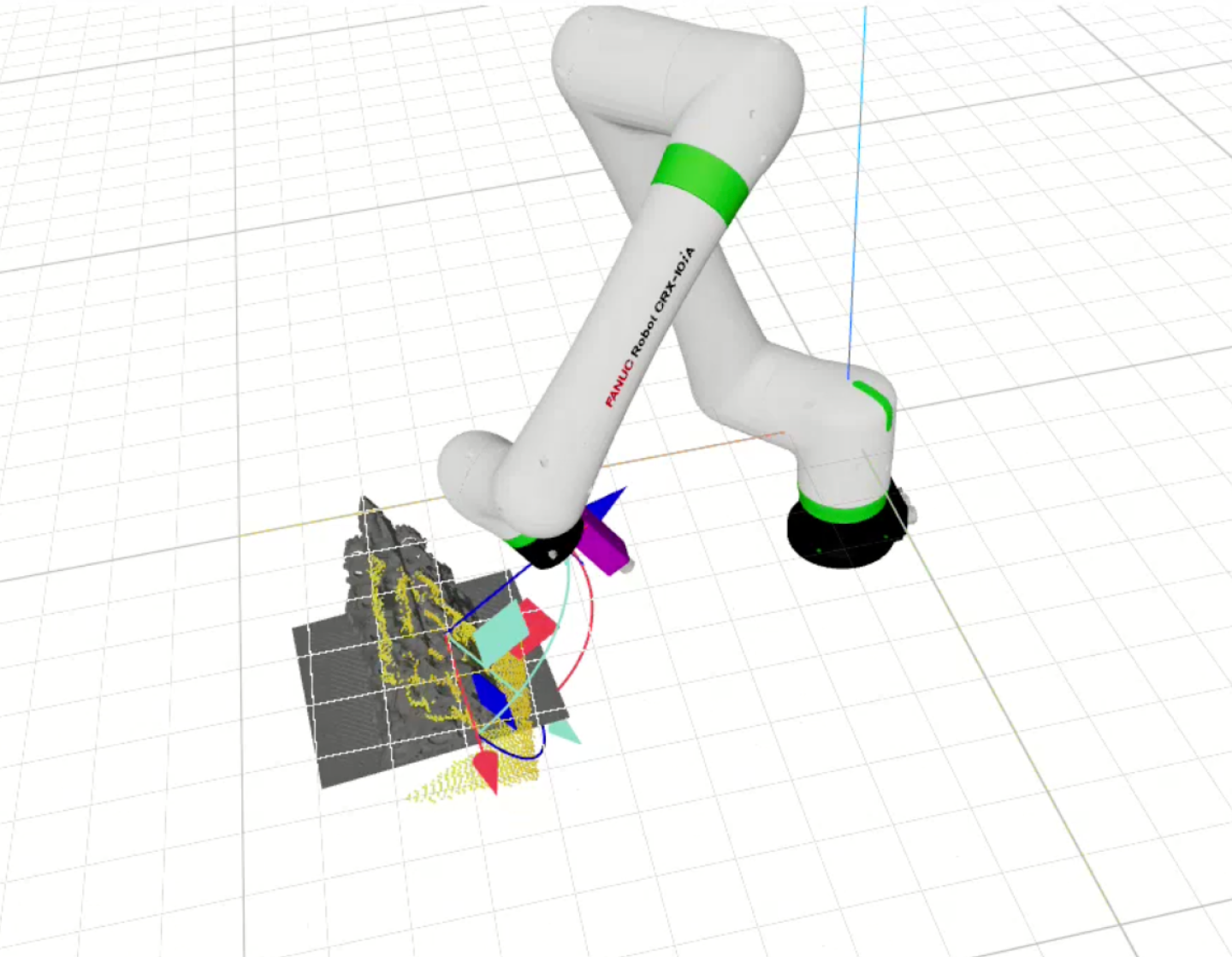
Click directly on the CAD to define where the robot should go. Set approach vectors, waypoints, and grasp points on the 3D model. No teach pendant, no manual jogging, no physical access to the cell required.
Fast deployment
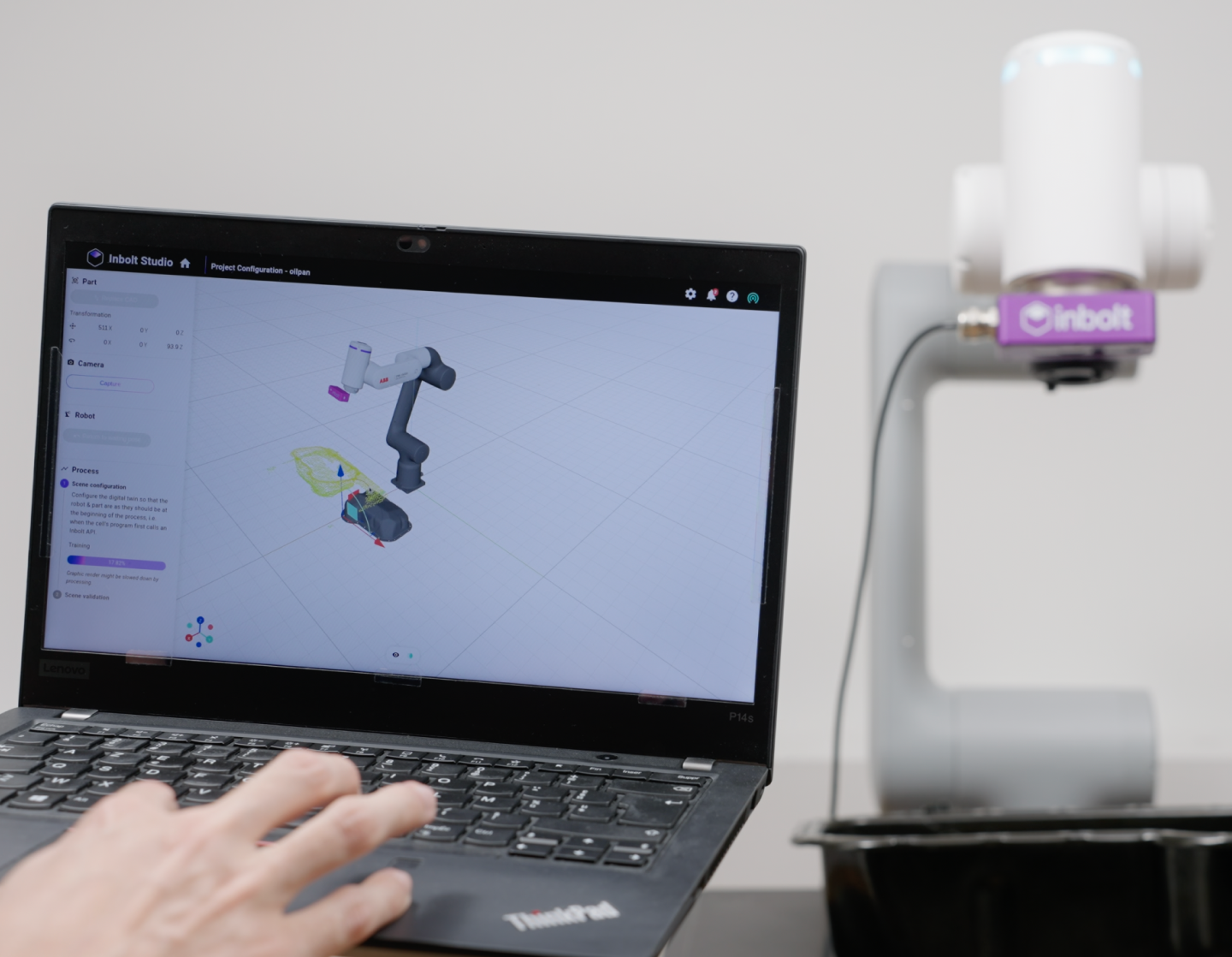
Set up and train a project in 5 minutes, entirely on-premise. From calibration to runtime, Inbolt Studio minimizes engineering time and maximizes production uptime.
Universal AI for any part
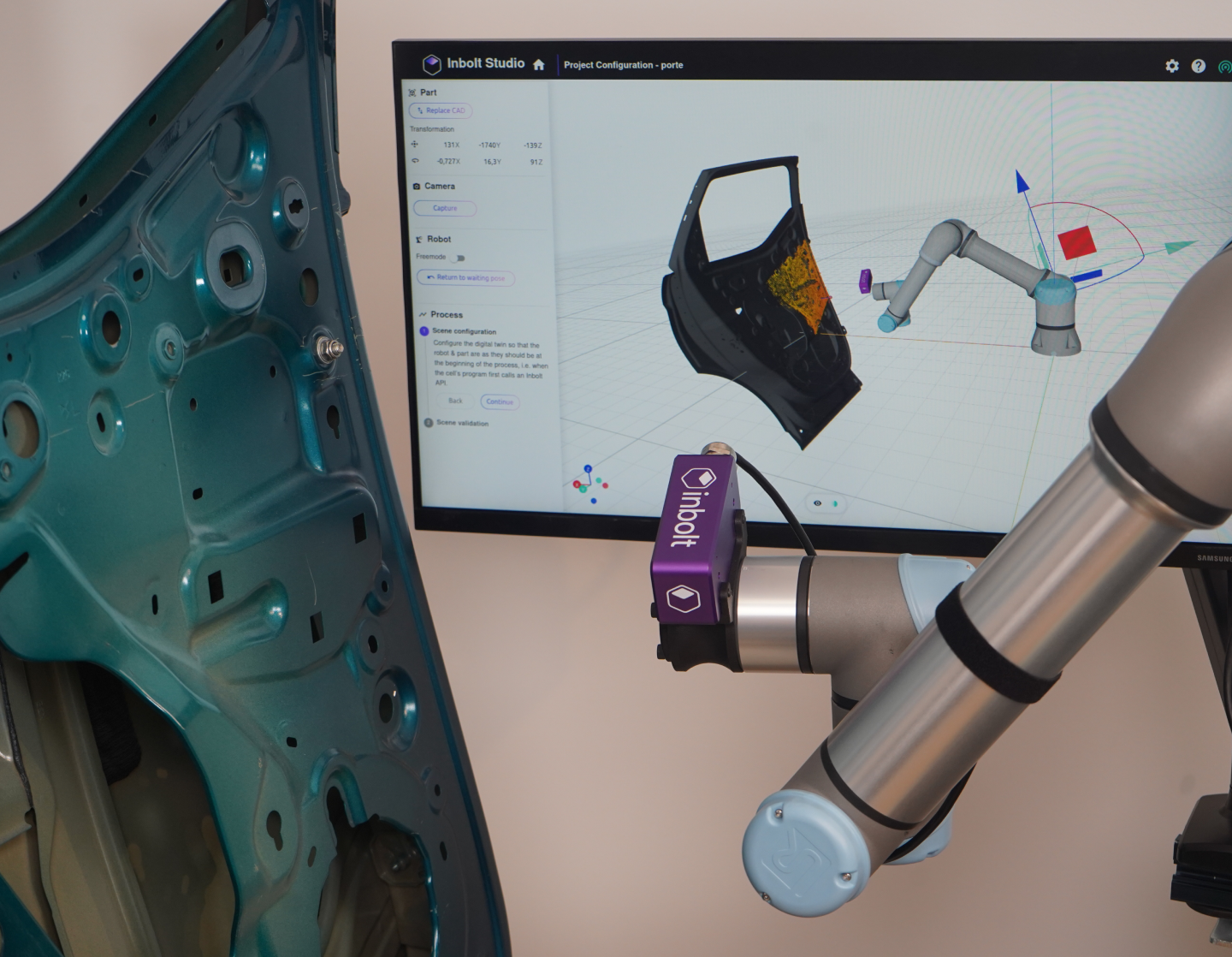
A single AI handles all CAD models, so you don’t waste time creating datasets or retraining for each new part. Easily adapt robots to new models or variants and keep production moving.
Key features for smarter automation
Built for production, Inbolt Robot Programming gives engineers a digital twin-first workflow that deploys robot motion in minutes, not weeks.

Program from CAD
Build the entire program on the CAD model in the part’s reference frame. Pick surfaces, set the trajectory, configure tool orientation.

No robot connection required
Prepare waypoints in Inbolt Studio with no robot attached. Skip the pendant teaching loop and the iterative tuning that consumes the commissioning window.

Digital twin workspace
Stage the operation, validate reach and cycle time, and test the program in a digital twin that matches the physical environment.

Moving-line ready
Stationary parts or conveyor-borne, same workflow. The Inbolt Vision Model handles part localization at runtime, with no separate codebase for dynamic applications.

Multi-brand support
Inbolt Robot Programming runs across all six supported brands. The CAD-based programming is available today for FANUC, Universal Robots and Yaskawa dynamic, with broader coverage coming.

On-premise AI
Train and run everything locally. CAD files, programs, and runtime data stay on the network, with no cloud dependency for programming or execution.




FAQ
How Inbolt Robot Programming works, what it runs on, and how fast you can deploy it.

-
Inbolt Robot Programming is the CAD-based programming capability inside Inbolt Studio. Engineers build the program directly on the CAD model, in the part’s own reference frame. At runtime, the Inbolt Vision Model locates the real part and adjusts the robot’s motion to execute the planned path exactly. No teach pendant. No iterative tuning. No separate workflow for moving lines. Drop in CAD, set the operation in a digital twin, and you have executable robot motion in under five minutes. What used to take weeks of commissioning now works in one shot, on the robots you already own.
-
Upload the CAD model of the part into Inbolt Studio. Define the operation directly on the digital twin: pick the surfaces, set the trajectory, configure tool orientation. The program lives in the part’s reference frame, not the robot’s controller. Inbolt generates the executable motion, and the Inbolt Vision Model handles part localization at runtime, adjusting the path to match the real position on the line. No brand-specific code. No re-teaching when SKUs change. Most programs are ready for the floor in under five minutes, including for moving-line applications.
-
No. Inbolt Robot Programming replaces brand-specific code and pendant teaching with a CAD-first workflow. Engineers work in the part’s reference frame using a digital twin, not in robot-specific motion code. The Vision Model handles part localization automatically — no dataset preparation, no manual tuning. That removes the two biggest specialist bottlenecks in commissioning: teach-pendant programming and machine vision setup. Anyone fluent in CAD and process logic can build, test, and deploy a program, while specialist robot engineers stay focused on the harder problems.
-
Inbolt Robot Programming runs on all six supported brands: FANUC, ABB, KUKA, Yaskawa, Comau, and Universal Robots. The new CAD-based workflow — where engineers prepare waypoints directly on the CAD model in Inbolt Studio, with no robot connected to the system — is available today for FANUC, Universal Robots and Yaskawa on dynamic, moving-line applications, with broader brand coverage on the roadmap. Programs stay portable across supported brands. If your robot brand isn’t yet covered, Inbolt’s engineering team can scope timing and compatibility directly.
-
Inbolt Robot Programming runs fully on-premise inside Inbolt Studio. CAD files, programs, and runtime data stay on the local network. There is no cloud dependency for programming, execution, or vision processing. Manufacturers keep full control of their IP, process information, and robot fleet. Updates are delivered periodically, but daily operations remain offline, minimizing cybersecurity exposure.
-
Programming time drops from weeks of pendant teaching to minutes of CAD work. Engineers stop rebuilding paths for every new SKU and stop maintaining separate workflows for stationary versus moving-line applications. Commissioning compresses, line changeovers compress, and the same engineering effort covers more cells. Customers report up to 97% less downtime and 90% fewer rejects on production lines running the Inbolt platform. Most see payback inside 6-12 months, whether retrofitting existing robots or launching new stations.
Let’s talk robot programming from digital twin
From misaligned parts to moving lines, Inbolt helps robots handle real-world challenges. Fast to deploy, easy to scale, and trusted by leading manufacturers. Contact us to learn more.

Explore more from Inbolt
Access articles, use cases, and resources to see how Inbolt drives intelligent automation worldwide.
The New York Times: How to Make a Robot Better at Its Job? Give It Eyes.
Inbolt included in TechCrunch’s “21 European startups to watch”

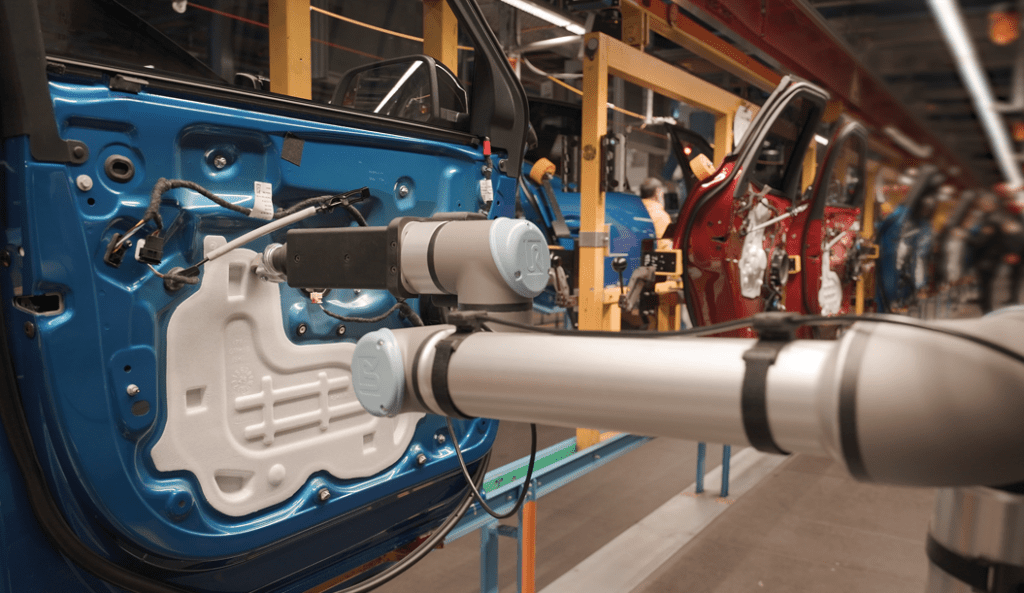
Ford automates water shield installation on a moving EV assembly line with Inbolt
Automate (Jun 22-25)