What is robot vision?
Updated: October 14, 2026
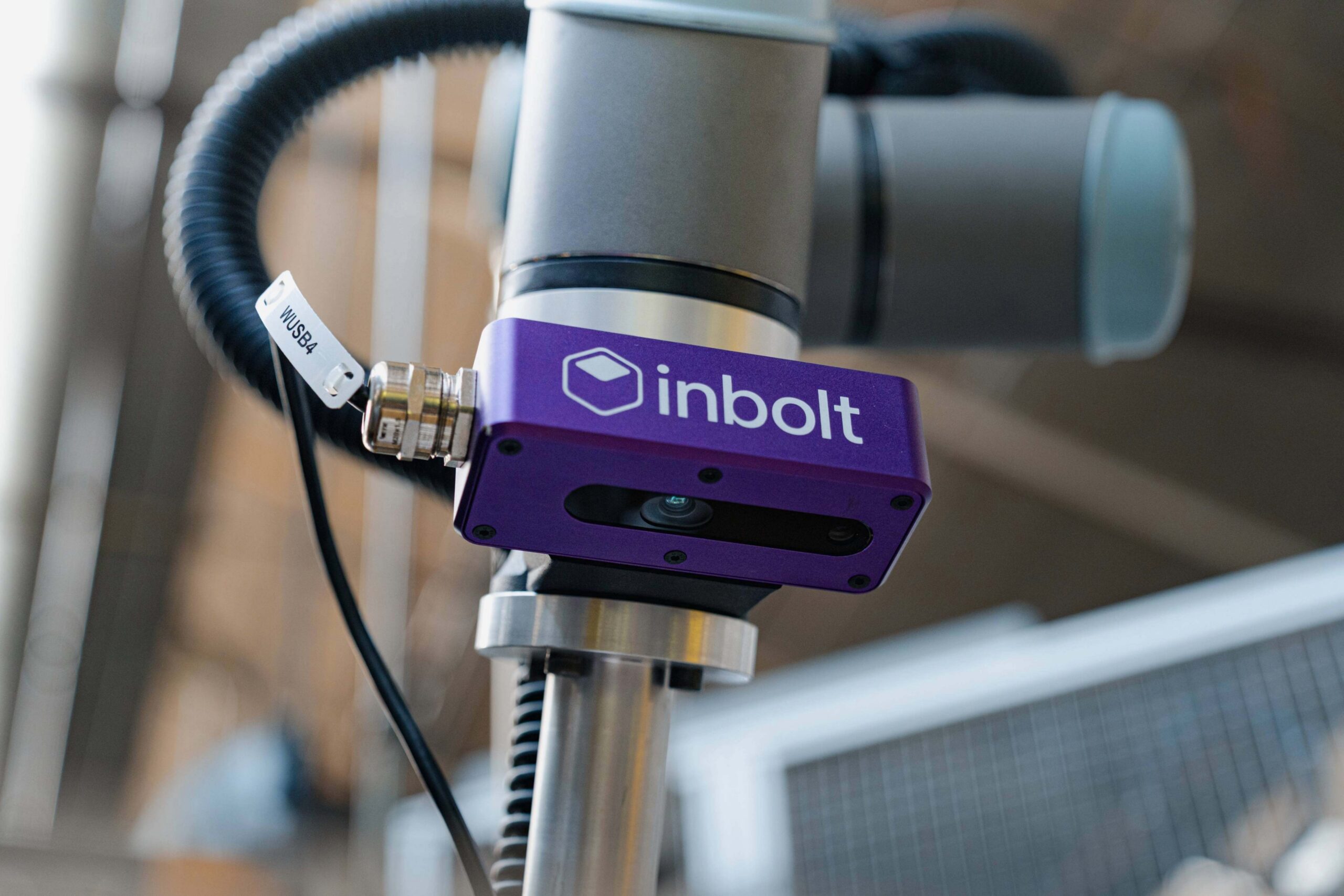
Robot vision is the technology that lets an industrial robot see a part, work out its exact position and orientation in 3D space, and act on it without a fixture holding everything in place. A camera captures the scene, software computes the part’s pose, and the robot moves based on what’s actually in front of it.
The short version: it’s how a robot stops being blind. A conventional robot repeats the exact same motion every cycle. It has no idea whether the part in front of it moved 2mm or 20mm, or whether it’s there at all. Robot vision gives the arm a way to find the part first, then pick, place, fasten, or dispense based on what it sees.
Robot vision at a glance:
- 4.66 million industrial robots run in factories worldwide, with 542,000 installed in 2024 alone (IFR World Robotics 2025). Most of them still run blind.
- The machine vision market sat between $13 and 16 billion in 2025, depending on the analyst, and keeps climbing.
- Modern vision-guided systems locate parts in 6DoF with sub-millimetre accuracy and react in under 100ms.
How does robot vision work?
Four steps, every cycle:
- Capture. A 2D or 3D camera images the scene. 3D adds depth, which you need for anything stacked, tilted, or unconstrained.
- Locate. Software identifies the part and calculates its pose. For real picking you want full 6DoF: position (x, y, z) plus orientation (roll, pitch, yaw). A 2D centroid isn’t enough when the part can sit at any angle.
- Translate. The vision system converts that pose from camera coordinates into robot coordinates. This is where calibration lives, and where a lot of accuracy quietly leaks away.
- Move. The robot receives a target and executes the pick.
The quality of a robot vision system comes down to how well it does step 2 under messy conditions, and how little drift it introduces in step 3.
What’s the difference between robot vision and machine vision?
People use the terms interchangeably, but there’s a real distinction.
Machine vision usually means inspection: is this weld good, is this label present, does this dimension pass. The camera judges a part. It doesn’t move anything.
Robot vision, sometimes called vision-guided robotics, means the vision output drives motion. The camera tells the robot where to go. That feedback loop is harder, because an error doesn’t just flag a defect, it sends the arm to the wrong place.
| Machine vision | Robot vision | |
| Job | Inspect and judge parts | Guide robot motion |
| Output | Pass/fail, a measurement | A 6DoF pose the robot moves to |
| Cost of an error | A defect slips through | The arm goes to the wrong place |
| Typical question | “Is this part good?” | “Where is this part right now?” |
So all robot vision uses machine vision techniques. Not all machine vision guides a robot.
Do you need 2D or 3D robot vision?
2D vision works when parts are flat, lie in a single known plane, and arrive in a consistent presentation. Think label checks or picking flat blanks off a backlit conveyor.
3D vision adds depth. The moment parts can stack, tilt, overlap, or arrive at an unknown height (a bin, a rack, a pallet, a moving line), you need 3D to compute a full 6DoF pose. Most production tasks that justify vision guidance in the first place fall in this second category.
What is robot vision used for?
The applications that show up on real factory floors:
- Bin-picking. Locating and grasping randomly oriented parts from a bin. The classic hard problem.
- De-racking and depalletizing. Unloading parts from racks, dunnage, or pallets that never sit in quite the same place.
- Fastening. Bolt run-down, screw insertion, and tightening, including on engines moving down a line.
- Dispensing. Glue and sealant paths corrected to the actual surface position, not the nominal one.
- Assembly on moving lines. Inserting, rolling, or fitting parts on conveyors that never stop.
Why do traditional robot vision systems struggle in production?
Most vision-guidance on the market today was built around a fixed assumption: the camera is mounted above a known workspace, the part arrives roughly where it’s expected, and conditions stay stable. That works in a demo but breaks on a real line.
Three things go wrong:
Setup is slow and manual. Classic systems need datasets, image labelling, or hand-tuned templates for every new part. A new SKU can mean days of reconfiguration. Plant teams end up rationing what they’re willing to automate.
Accuracy is static. The system localises the part once, hands a target to the robot, then stops looking. If the part shifts mid-cycle, if the bin presentation drifts, if the line is moving, the robot is acting on a stale snapshot. Bin-picking failure modes almost always trace back to this: a good pick point that’s no longer valid by the time the gripper arrives.
Everything is coupled and brittle. Change the bin, the gripper, or the camera mount, and the others have to be retuned. Six-figure deployments turn into compounding integration debt, paid out one retuning visit at a time.
Even good modern systems run at 99%+ pick rates in clean conditions. At 99.5%, a station picking 1,000 parts a shift still stops 5 times, and each stop pauses the line for a human. What matters is how stable that rate stays when production drifts. Demo accuracy barely predicts it.
What makes Inbolt different?
Inbolt is built for the part of the problem the category keeps avoiding: production that doesn’t hold still.
Three things set it apart.
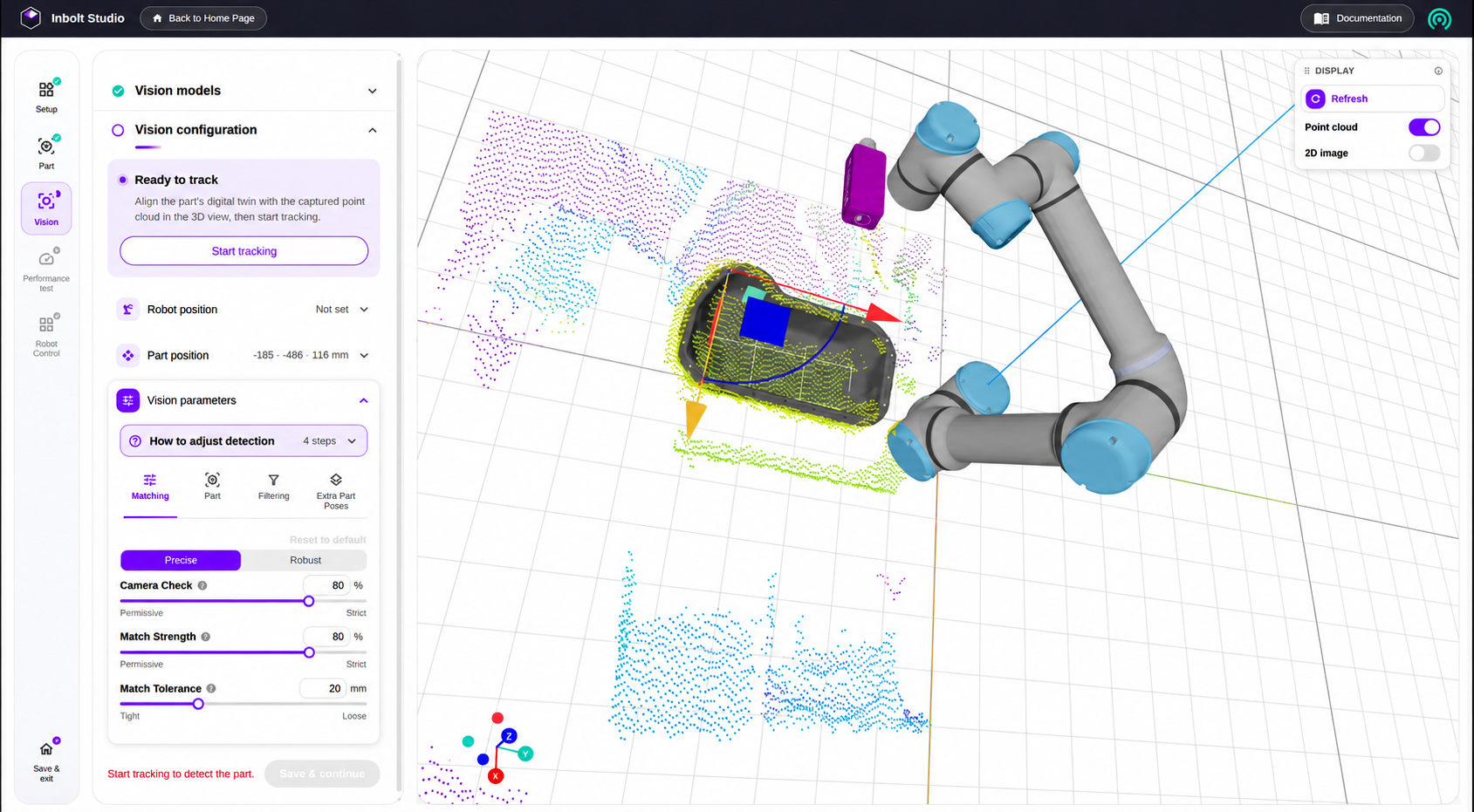
A generalist model trained on CAD, not datasets. You upload the part’s CAD file and the model learns it in under 5 minutes. No image collection, no labelling, no per-part dataset. The same model handles new parts the day they arrive, which is the difference between automating one station and automating a hundred.
Perception that closes the loop, not a single snapshot. The camera mounts on the arm, so its view travels with the gripper’s approach. The model computes full 6DoF pose, and the control layer streams corrected joint commands to the robot at servo frequency, 80ms from perception to motion. The robot acts on the part’s current position rather than a snapshot from the start of the cycle. That’s what lets Inbolt work on moving lines, not just stationary cells.
A universal control layer. Inbolt drives FANUC, ABB, KUKA, Yaskawa, UR, and Comau from one system. It runs on robots you already own. Retrofit a station and you’re typically deployed in days, with payback around 12 months and as fast as 3 months on high-utilisation retrofits.
The result for an engineer: you stop designing the cell around the limits of the vision system. The vision adapts to the cell.
Does it actually hold up on the floor?
The proof is in production.
At Stellantis’ Detroit Assembly Complex, a body-side aperture unloading cell kept breaking down. The parts sat in custom racks that never held a repeatable position: racks wore over time, forklifts dropped them at slightly different angles, and manual loading added placement error. The robot’s laser-based detection couldn’t find the apertures, so it collided with the racks during pick attempts, multiple times a day. Inbolt retrofitted the existing FANUC cell. A camera went on the end-of-arm tooling, the model learned to locate the apertures despite the variation, and Inbolt recalculated the pick trajectory live from the part’s actual position. A safety envelope aborts the pick if a part sits outside it, so an operator steps in instead of the robot crashing. Result: breakdowns down 97%, from 184 minutes a day to 4.9, zero collisions, and payback in 3 months.
At Stellantis’ Trenton engine plant, bolt run-down on the Pentastar V6 ran a 2.55% non-engagement rate even with mechanical indexing. After the retrofit, it dropped to 0.24%: a 90.5% reduction in tightening rejects, with 0.5 seconds of vision time per engine.
At thyssenkrupp, an engine-tightening station went to below 1% non-compliant tightening after retrofitting with Inbolt’s 3D vision-guidance, with the strain taken off operators.
Across the install base, Inbolt runs on 200+ robots in 100+ factories across three continents, and powered 40 million robot cycles in 2025.
Frequently asked questions
Is robot vision the same as machine vision? No. Machine vision inspects parts and outputs a judgment (pass/fail, a measurement). Robot vision converts what the camera sees into a position the robot physically moves to. Robot vision builds on machine vision techniques but adds motion guidance.
How accurate is robot vision? Production systems typically localise parts within ±0.5–1mm. High-precision setups using structured light reach below 0.3mm, accurate enough for tightening and insertion tasks.
Does robot vision work on moving assembly lines? Yes, if the system tracks the part continuously rather than localising it once. Inbolt refreshes the part’s pose at 80Hz with 80ms latency, guiding robots on lines moving up to 300mm per second.
How long does a robot vision system take to deploy? With CAD-trained systems, the model learns a new part in under 5 minutes and a station deploys in days. Traditional template- or dataset-based systems typically take weeks per part.
Which robot brands support vision guidance? Inbolt drives FANUC, ABB, KUKA, Yaskawa, Universal Robots, and Comau from one system, on both existing robots and new stations.
What’s the typical ROI on vision-guided robotics? Around 12 months across deployments. High-utilisation retrofits pay back faster; Stellantis’ Detroit de-racking cell paid back in 3 months.
Explore more from Inbolt
Access similar articles, use cases, and resources to see how Inbolt drives intelligent automation worldwide.
The Stellantis story the New York Times told, and the engineering behind it
The gap between a great demo and a robot that runs in production
Oltre 106.000 robot lavorano già nelle fabbriche italiane. Quasi tutti alla cieca.
Inbolt Robot Programming: from digital twin to a running robot in five minutes
The missing execution layer
Why real-time robot control is the key to unlocking Physical AI