How to add 3D vision to the robots you already own
Updated: November 24, 2026
Walk through any body shop or powertrain plant and you’ll see robots doing one job, the same way, thousands of times a shift. Plenty of them could do more. They can’t, because they can’t see.
A robot without vision repeats a taught path and trusts that the part is exactly where it was on the day it was taught. So the factory makes sure it is. Precision fixtures, mechanical indexing, laser search routines, dunnage machined to tight tolerances. On a typical station, about half the bill pays for hardware that exists only because the robot is blind.
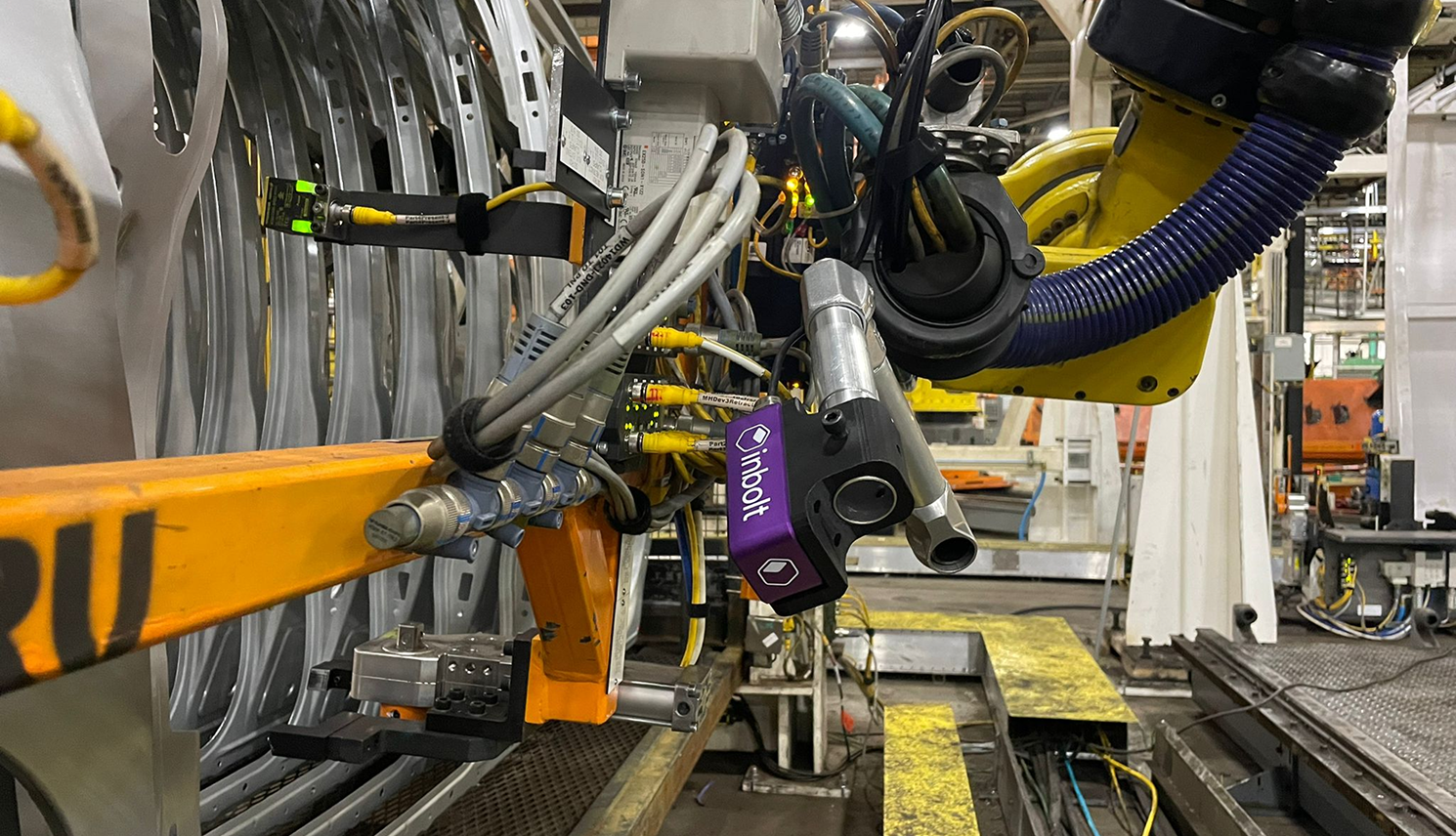
A robot vision retrofit fixes that on robots you’ve already paid for. You bolt a camera onto the arm, train a vision model on the part’s CAD, and the robot finds the part wherever it actually is. If you already have a station in mind, our vision retrofit service page covers how a deployment runs.
What a vision retrofit changes on an existing station
A vision retrofit puts a 3D camera on the robot arm and trains a vision model on the part’s CAD. Every cycle, the robot locates the part in 6DoF (its exact position and orientation) and corrects its path to match. The station no longer needs the part to arrive in the same place every time.
That one change lets you take a lot of hardware out:
- Mechanical indexing and locating pins that force each part into position
- Precision fixtures built around a single part variant
- Laser or touch-sensing search routines that add time to every cycle
And most of the station stays put. The robot, its controller, your end-of-arm tooling and the cell layout don’t change.
The camera is robot-mounted, so you don’t need to find room for a fixed camera stand in a cell that was never designed for one. The Inbolt Vision Model trains on the part’s CAD in under 5 minutes, on-premise. You don’t collect or label a single image.
Signs a station is a good retrofit candidate
Some stations run fine without vision. These usually don’t:
- It crashes or misloads as racks and carts wear. Racks bend, AMR carts stop a few millimeters off, heat-treated pallets warp. A taught path can’t follow any of it.
- Its cycle time is padded by search. If the robot spends a second or two scanning or feeling for the part before it starts working, you pay for that second on every cycle, every shift.
- Its rejects come from small part variation. At Stellantis Trenton, a stop-and-go tightening station ran a 3% failure rate with mechanical indexing in place. The engines were close enough for an operator and too far off for the robot.
- Someone wrote it off as “too variable to automate”. These are often the best candidates. The original business case assumed fixtures were the only way to make it work.
Proof from 3 retrofits at Stellantis
All 3 of these ran on robots that were already installed and already in production.
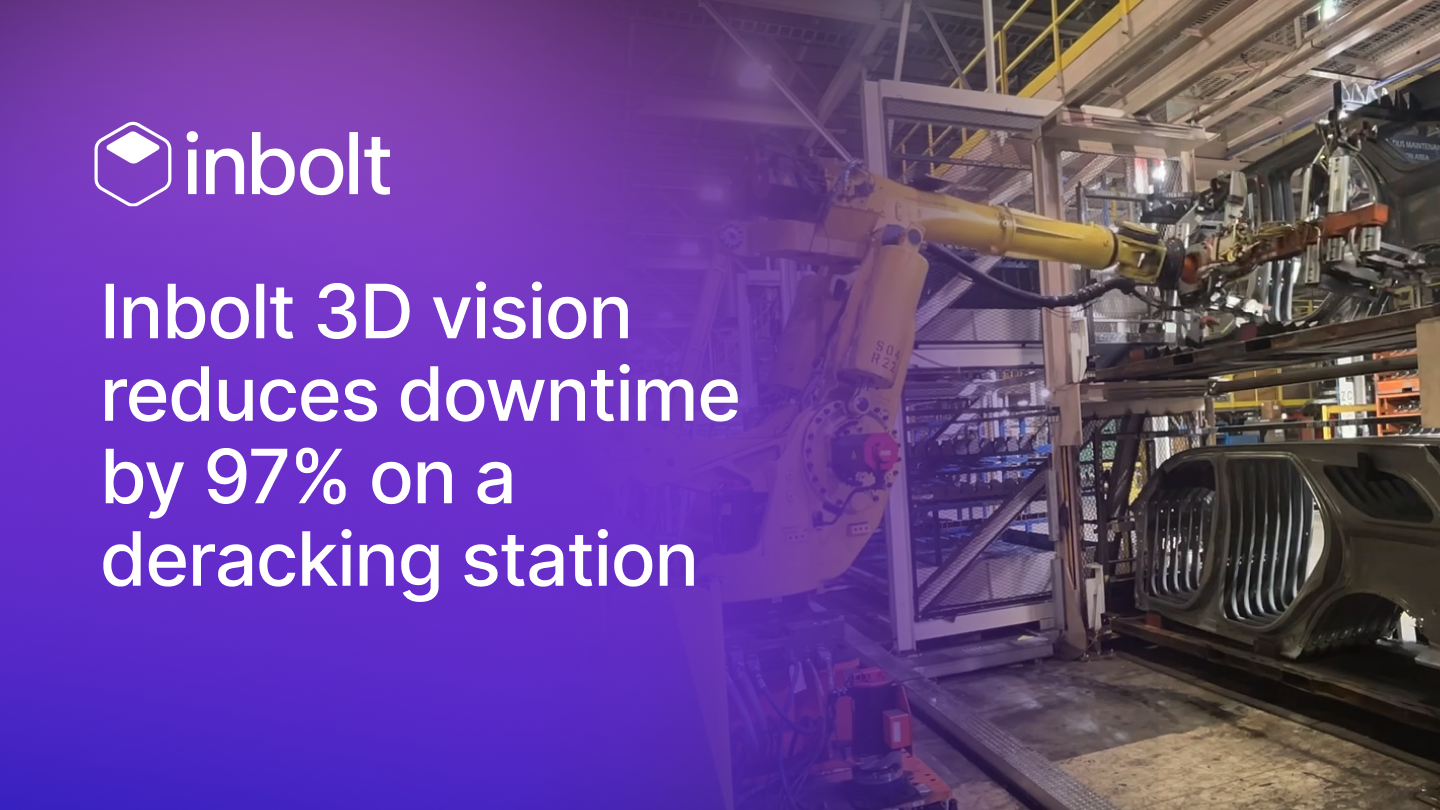
De-racking in a Detroit bodyshop: 97% less downtime
The robot picked body apertures out of racks. Racks wear, and a worn rack holds each part in a slightly different place. The station’s laser detection couldn’t keep up, so the robot collided with parts and the line broke down daily.
Inbolt put a camera on the end-of-arm tooling to locate each aperture before the pick. Safety zones stop the robot reaching for anything outside the expected envelope.
The result: 97% less downtime, zero collisions since install, and payback in 3 months. Read the full de-racking story.
Pick and place in Detroit: 30% faster cycles
Here the problem was speed. The robot relied on a laser scanner search to align each pick, which was slow and needed an operator watching the station.
With vision guiding the pick, cycle time dropped 30% and repeatability improved 10x, with no collisions. Read the pick and place story.
Glue dispensing in Jefferson: 70% more efficient
The glue path drifted up to 4 mm from where it should have been. That meant defective beads, cleanup, recalibration and unplanned pauses.
Vision now corrects the path to the real part every cycle. Efficiency is up 70%, the bead is uniform and cycle time holds steady. The maintenance manager put it this way:
Implementing vision to retrofit the line transformed a high-risk, high-maintenance station into a reliable and robust cell.
Maintenance Manager
Stellantis Jefferson
Read the glue dispensing story, or the Stellantis story the New York Times told for the engineering behind it.
How a vision retrofit works on each robot brand
The loop is the same on every brand. The camera locates the part. Inbolt Robot Programming runs the job in the part’s own frame, so the path follows the part. Inbolt Robot Control streams the corrected motion to the robot’s own controller. Control stays with the robot.
What changes from brand to brand is the connection, and how quickly the robot can take corrections.
FANUC
Inbolt connects to FANUC robots through Inbolt Robot Programming and FANUC Stream Motion. Position updates run at up to 125 Hz, with a total reaction time of 150 to 200 ms.
On the CRX range, the robot can track parts on a moving line. Tracking speed depends on the CRX model (125 to 200 mm/s), and tightening on the move runs at 80 to 100 mm/s. If you’re weighing up a FANUC vision system for an existing cell, start with our FANUC CRX page.
Universal Robots
Inbolt runs natively on UR e-Series and on UR Gen 7. It’s the fastest connection we have: 500 Hz position updates and an 80 ms reaction time, with moving parts tracked at up to 300 mm/s.
The camera mounts on the wrist, and the Inbolt URCap puts setup on the teach pendant. Moving-line jobs run from its Dynamic process node. More on our Universal Robots page.
Yaskawa
Inbolt connects to Yaskawa through Inbolt Robot Programming and a MotoPlus dynamic offset task. Updates run at up to 250 Hz, with a 150 to 200 ms reaction time. Moving-line speeds depend on the process: 150 mm/s for tightening, 200 mm/s for dispensing and 300 mm/s for pick and place.
ABB, KUKA and Comau
All 3 are supported. ABB connects through PC Interface on IRC5 and OmniCore controllers, KUKA through Ethernet KRL on KR C4 and KR C5, and Comau through PDL2 on any controller. For KUKA, see KUKA robots just got eyes.
One limit to know: moving-line tracking runs on UR, FANUC and Yaskawa, with the Standard camera. Stationary parts work on every brand listed here, and other brands can connect over Modbus TCP.
What to check before you start
A retrofit qualifies on the part, the process and the robot. We grade every use case against those criteria before you commit (qualified, available on request, or not qualified), but you can run the same checks yourself first.
The part. The Standard camera needs a part with some 3D volume and texture, between 10 x 10 cm and 3 x 3 m. Smaller or flatter parts, down to 2 x 2 cm, go to the High-Precision camera. It takes a snapshot instead of a live stream, so it suits fixed stations, not moving lines.
The camera position. Most retrofits mount the camera on the robot, working 10 to 150 cm from the part (30 cm is ideal). If the robot brings the part to the camera instead, a fixed camera works too, minus moving-line tracking.
The cycle time. Detection takes 200 ms with the Standard camera and a little over 300 ms with the High-Precision camera. Set that against the laser search or touch-sensing routine it replaces.
The controller options. Each brand needs a software option on its controller: User Socket Messaging and KAREL on FANUC (plus Stream Motion for moving lines), PC Interface on ABB, Ethernet KRL on KUKA, a MotoPlus application on Yaskawa, the Inbolt URCap on UR. Check what’s installed early. If an option has to be ordered from the robot maker, you want to know before the camera arrives.
What a retrofit costs and how long it takes
The hardware list is short: one camera, one controller and a software license. You aren’t designing fixtures or machining indexing, which is where most of the cost of a conventional station goes. (We broke those costs down in What are integration costs?)
Time. A new part is trained from CAD in under 5 minutes. A typical deployment takes days. Putting one robot to work the conventional way takes 5 to 9 months.
Payback. Typically inside 12 months. Stations that run hard pay back faster: the Detroit de-racking retrofit paid for itself in 3.
Budget. Retrofits are often funded from operating budgets, while new stations go through capex. In practice that can mean a retrofit starts this quarter instead of waiting for next year’s capital cycle.
Frequently asked questions
Can I add 3D vision to an old FANUC or ABB robot? Usually, yes. Inbolt works with FANUC, ABB, KUKA, Yaskawa, Comau and Universal Robots. The camera mounts on the arm and corrected motion goes to the controller you already have. On FANUC, stationary parts work on controllers as far back as the RJ3iB, and moving-line tracking needs an R-30iB Plus (v9.x) or R-50iA with Stream Motion. On ABB, IRC5 and OmniCore controllers on RobotWare 5 or later are supported.
Do I need to replace the robot controller? No. Inbolt streams corrections to your existing controller. Some brands need a software option switched on, such as Stream Motion on FANUC or a MotoPlus task on Yaskawa.
How accurate is a vision retrofit? With the Standard camera, repeatability is 0.5 to 0.7 mm on fixed parts. The High-Precision camera gets under 0.3 mm and handles parts as small as 2 x 2 cm. On a moving line, repeatability is 1 mm.
Does it work on a moving line? Yes, on UR, FANUC and Yaskawa robots with the Standard camera. The robot tracks the part continuously and corrects its path in real time. See moving-line deployments.
Start with one station
Most retrofit projects start with one station that everyone’s tired of fixing. Tell us which one yours is, and we’ll tell you straight whether vision will fix it.
Explore more from Inbolt
Access similar articles, use cases, and resources to see how Inbolt drives intelligent automation worldwide.

The Stellantis story the New York Times told, and the engineering behind it
The gap between a great demo and a robot that runs in production
Oltre 106.000 robot lavorano già nelle fabbriche italiane. Quasi tutti alla cieca.
Inbolt Robot Programming: from digital twin to a running robot in five minutes
The missing execution layer